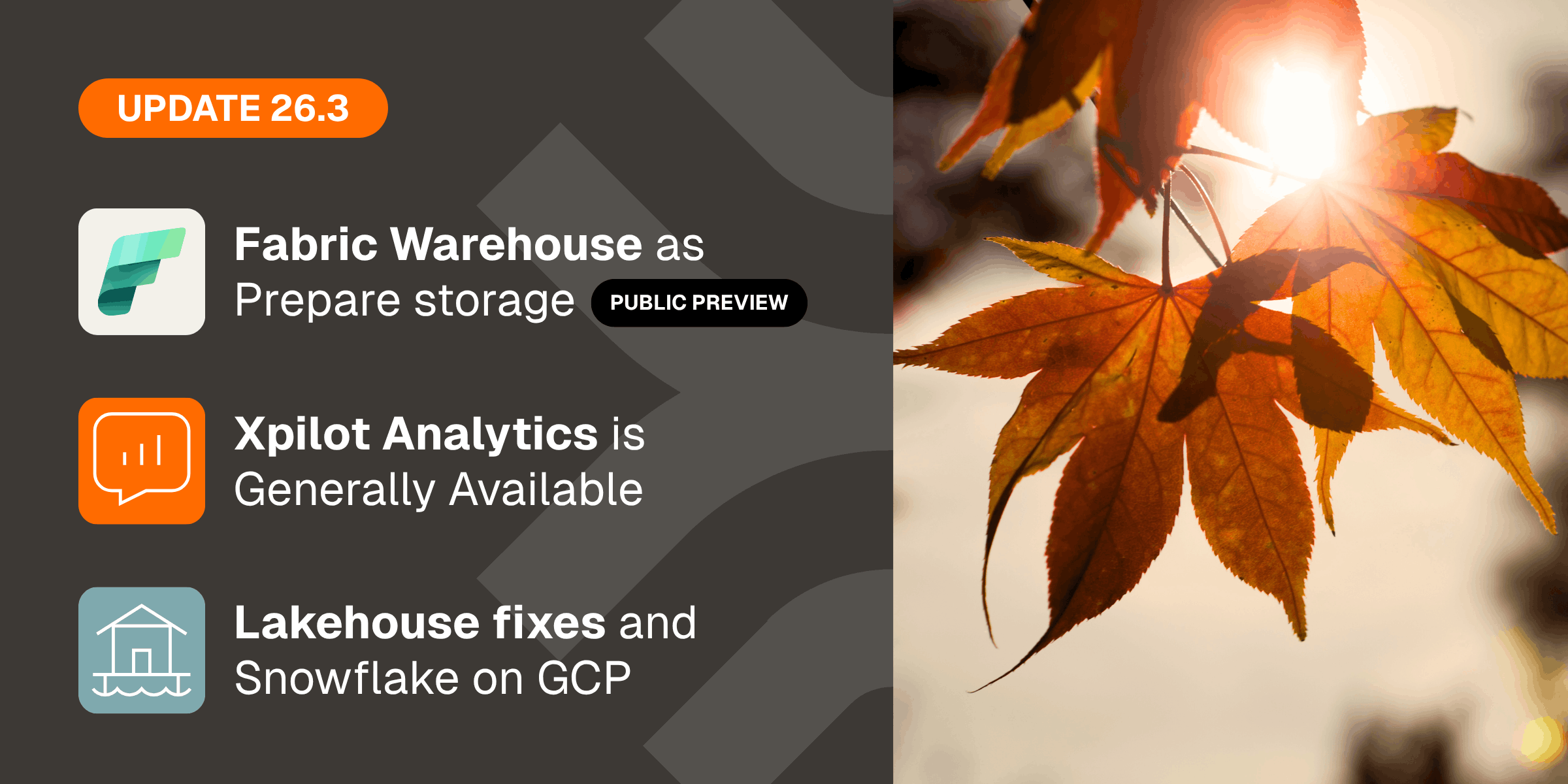





 Micah Horner, Product Marketing Manager, Timextender
Timextender turns 20 this year. This is the biggest release we've ever shipped.
Right now, every data vendor has an AI story. Most of them look the same: a natural language interface, a confident answer in seconds, a demo that lands well. What happens after the demo is a different story. The AI picks the wrong revenue field. It misses a filter Finance always applies. Someone catches it, trust breaks, and the tool gets quietly shelved.
The problem isn't the model. It's that the model has no idea what "revenue" means in your organization. It's guessing. And in production, guessing isn't good enough.
What AI needs to produce answers worth acting on is governed context. The same approved definitions your analysts have validated. The same ones powering your dashboards and board reports. When AI works from that foundation, the answers are consistent, traceable, and reliable enough to act on.
We've spent 20 years building that foundation. That's what this release is built to deliver.
Introducing Xpilot Analytics
Self-service BI has promised the same thing for a decade: business users should be able to get answers without depending on an analyst. The tools improved. The dependency never really went away. Someone still had to build the dashboard. The queue never fully emptied.
Xpilot Analytics changes that.
Starting today, Xpilot Analytics is available in Private Preview inside the Timextender Data Platform.
With Xpilot Analytics, a user types a question in plain language, the system queries their governed semantic model, and an answer streams back in seconds with charts and tables rendered inline. No SQL. No report designer. No ticket to file.
What makes this different is what sits underneath it. Xpilot Analytics doesn't guess at what "revenue" means. It queries the semantic model your data team has already built and validated, the same one powering your dashboards and board reports.
What Xpilot Analytics delivers:
- Streaming chat interface: A responsive chat UI where AI responses and visualizations stream in as generated. Tool calls are surfaced transparently so the user can see exactly what the AI is doing.
- Governed semantic model connectivity: Xpilot queries Timextender semantic models via MCP; the AI uses structured, governed data definitions, not raw schema inference.
- Pinned Insights and Dashboards: Pin any chart or table from a conversation, give it a name, and build it into a persistent dashboard. Pinned insights re-execute against data on demand.
- Conversation history: Conversations persist across sessions with the ability to rename, continue, or delete past chats. Full history in the sidebar.
- Export: Any result can be exported as CSV, image, or Markdown for presentations, spreadsheets, or reports.
- Query transparency (View SQL): Users can inspect the exact query the AI executed. This is the trust anchor for data teams reviewing AI outputs.
- Model selector and health indicator: A connections panel shows which semantic models are available and confirms each is reachable.
- Guided onboarding: New tenants land in a guided empty state with example prompts and a pre-configured AdventureWorks demo model; explore immediately without connecting a real data source.
Timextender MCP Server
Xpilot Analytics is built on the same governed semantic layer that powers the improved Timextender MCP Server.
If your team is already using Claude, ChatGPT, Copilot, or a custom AI agent, Timextender MCP Server lets those tools query your data the same way, through the governed definitions your analysts trust, not raw schema inference.
-1.png?width=2784&height=1824&name=download%20(6)-1.png)
MCP Server 2.0 is available now. Key changes in this release:
- Single server, multiple models: Previously, you ran one service per database. Now one MCP Server hosts as many semantic models as configured; one install, one config file, one Windows service.
- OAuth authentication: ChatGPT and other LLMs can now connect via OAuth custom connectors, opening integration with AI tools you already use.
- Snowflake + Fabric support: Both are now fully supported alongside Azure SQL, with Snowflake-specific SQL dialect handling and Fabric SQL analytics connectivity.
- Cloud relay tunnel (on-prem connectivity): On-premises MCP servers register with TDP and are reachable from external AI tools without exposing any ports to the internet. Data never leaves your network.
- Enterprise authentication: Supports Auth0, Microsoft Entra ID, any generic OIDC-compliant provider, and API keys. Managed through the Configurator UI.
- Multi-model tool surface: AI assistants can call list_semantic_models to discover all available models, then target any specific model, giving the AI awareness of the full data landscape.
MCP Server is included at no additional cost as a Deliver endpoint in Timextender Data Integration. View the setup guide here.
Microsoft Fabric: The Biggest Leap Yet
Microsoft Fabric has been one of the most talked-about data platform investments of the last two years. It has also been one of the most challenging to run with confidence. Teams adopting Fabric have run into real limitations: missing view support, data type inconsistencies, parallel execution issues, and gaps that made it hard to fully commit.
This release takes the biggest step forward we've made on Fabric to date.
TDI 7376.1 ships 16 Fabric Lakehouse improvements, including materialized and persisted views, more reliable data type handling, parallel execution support, and a storage cleanup tool. These aren't cosmetic fixes. They close the gaps that have been blocking real-world Fabric deployments, and we're eager to see how partners and customers put them to work.
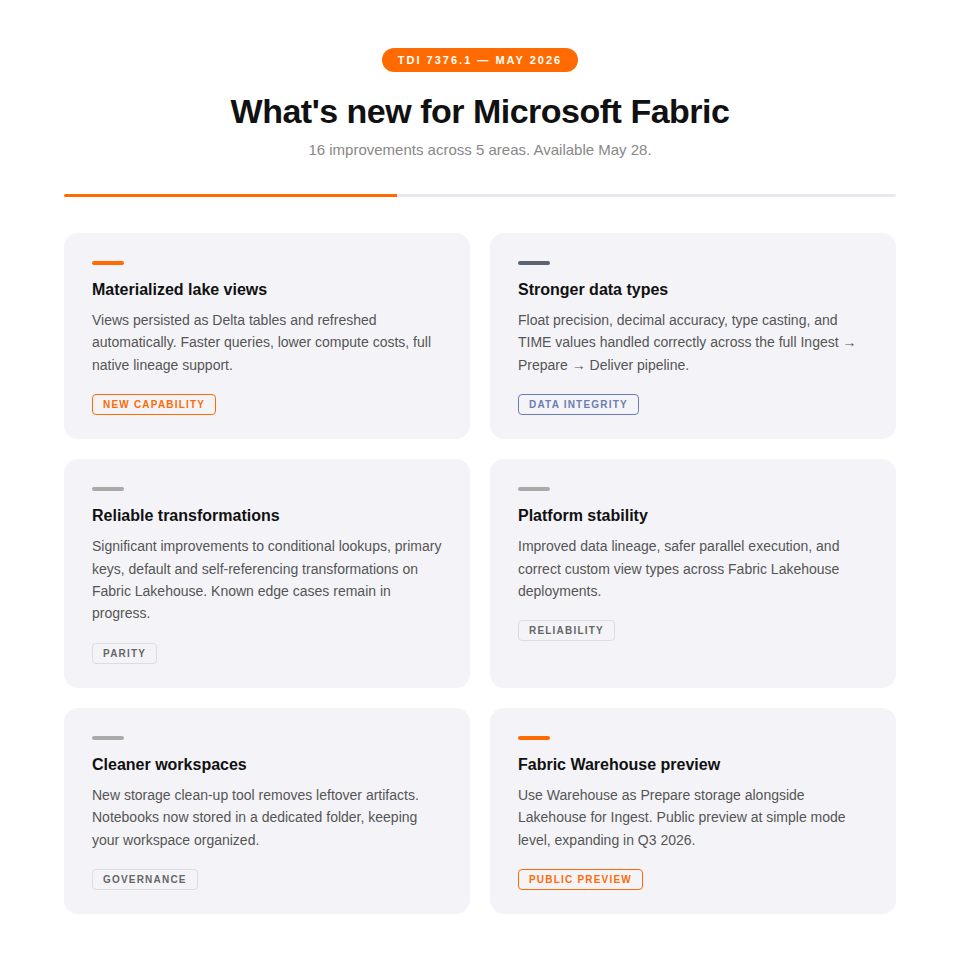
Also shipping in this release: Fabric Warehouse enters Public Preview as a first-class Prepare storage option inside Timextender, pairing with Fabric Lakehouse for Ingest in the same workspace. Full Fabric Warehouse support beyond simple mode is targeted for Q3 2026.
If your team is building on Fabric, now is the time to get a project underway.
Snowflake Feature Parity Complete
This release closes the book on Snowflake feature parity:
- Snowflake on AWS (Ingest + Prepare): Snowflake on AWS is now a supported storage option alongside existing Snowflake on Azure support. Customers whose Snowflake account runs on AWS can keep data in-region without crossing clouds.
- Object-Level Security: Prepare instances on Snowflake now support roles and table-level access controls. Note: Snowflake supports table-level security, not column-level as in SQL Server.
- Snowflake in MCP Configurator (Phase 4): Snowflake joins Azure SQL and Microsoft Fabric as a fully supported data source in the MCP Configurator. Customers with Snowflake-based semantic models can now connect AI agents via MCP Server.
- Qlik Cloud Spaces: Support for Spaces (the DEV-TEST-PROD mechanism in Qlik Cloud) is now available, the last remaining item for complete Qlik Cloud support.
Teams that have been waiting for Snowflake support to mature before committing to a full Timextender deployment no longer have a reason to wait.
A New Home for Everything
This release also marks a significant change to the platform itself. Our suite of products is now unified. We call it the Timextender Data Platform.
The direction here is straightforward: one modern, web-based experience for the full data pipeline, from ingestion through to AI-ready delivery.
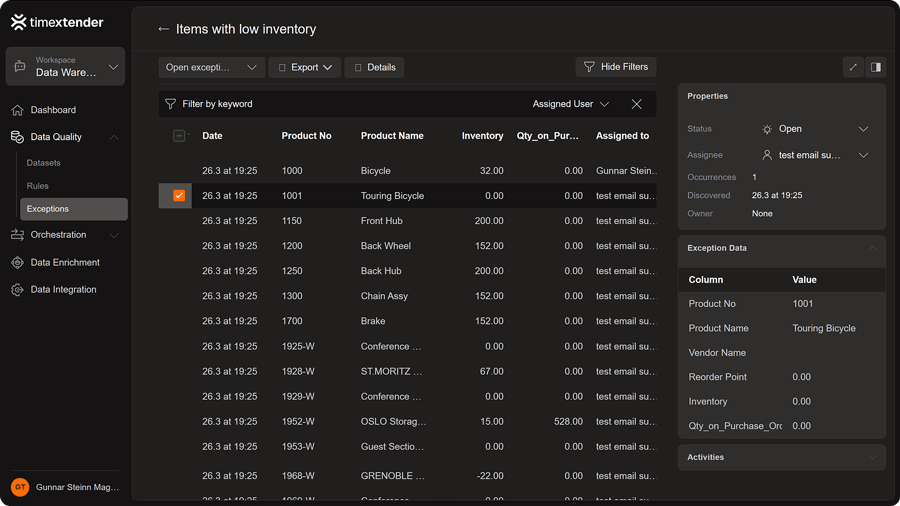
What's new in TDP 26.2:
- New Brand & Dark Mode: The new Timextender brand launched May 15. Dark mode ships for the first time, the most-requested customer skin item.
- Unified Navigation: Data Integration, Data Quality, Data Enrichment, and Orchestration all accessible from a single nav bar. No more switching between portals.
- Data Enrichment Embedded in TDP: The Data Enrichment portal is now embedded directly in TDP; full DE functionality accessible without leaving TDP.
- DG Portal Consolidated into TDP: Execution Overview (all tasks, status filters, Duration/State columns), User Privileges & Roles (Entra ID groups, privilege inheritance, role-based settings visibility) are now in TDP.
- Orchestration API (First Version): Trigger jobs, monitor status, and view execution logs programmatically. Personal API keys inherit all the access rights of the creating user. Administrators can view and revoke any user’s API keys centrally.
- User Roles & Entra ID Groups: User Groups are now called Roles and are fully editable in TDP. Entra ID group support means enterprise customers drive access control directly from Office 365; no desktop client required.
- Dataset Health Scores: Each dataset now has a health score based on open exceptions vs. previous runs, with a 5-execution trend. Data teams see at a glance whether quality is improving or degrading, without manually reviewing exception logs.
- TDI Environment-Aware Sync: A single package per unique TDI definition, with environment (Dev/Test/Prod) selected at execution time. Eliminates the previous pattern of creating three packages per table for multi-environment setups.
- Dedicated Downloads Page: All installable components (Ingest Service, TDI, MCP Server, ODQ Desktop, Gateway, and more) in one place with direct links to the appropriate version.
The Foundation Under Everything
Every capability in this release sits on top of a data pipeline that has to work reliably. The last update in this release is about making sure it does:
- File Data Sources — Streaming Architecture: Large file loading (Parquet, CSV, XML, JSON) rebuilt around a streaming architecture. CSV files that previously consumed 20GB RAM and took hours now run in ~25 minutes at ~45% CPU and ~100MB RAM. Applies across AWS S3, GCS, Azure Blob/ADLS, and SharePoint/OneDrive.
- File Data Sources — Incremental Loading: Incremental loading now works for Parquet, XML, and JSON files. File-based pipelines stop re-reading unchanged data on every run.
- Metadata Manager: Override data types, mark primary keys, manage row filters and incremental load rules, and import/export settings, all from the same grid.
- MySQL Enhanced Provider: SSL/TLS support added, closing the security gap that kept regulated customers on legacy providers. Locale handling reworked for date/number formatting consistency.
- MongoDB Enhanced Provider (Production-Ready): Graduates from beta to production-ready. The Classic crash on mixed CSV + MongoDB configurations is fixed. Missing password field restored.
- Business Central Enhanced Provider: Plugin refreshed for compatibility with latest BC releases. Clearer diagnostics when a connection fails.
- Coming in the next build cycles: File streaming for Excel, an improved REST provider, and native JSON processing with new flattening options.
Next Steps
- View the setup guide for Timextender MCP Server 2.0 here: https://support.timextender.com/general-169/timextender-mcp-server-overview-3970?live_edit=0
- Request a Timextender demo: https://www.timextender.com/en/request-a-timextender-demonstration
- Contact Sales: https://www.timextender.com/en/lets-talk