




 Micah Horner, Product Marketing Manager, Timextender
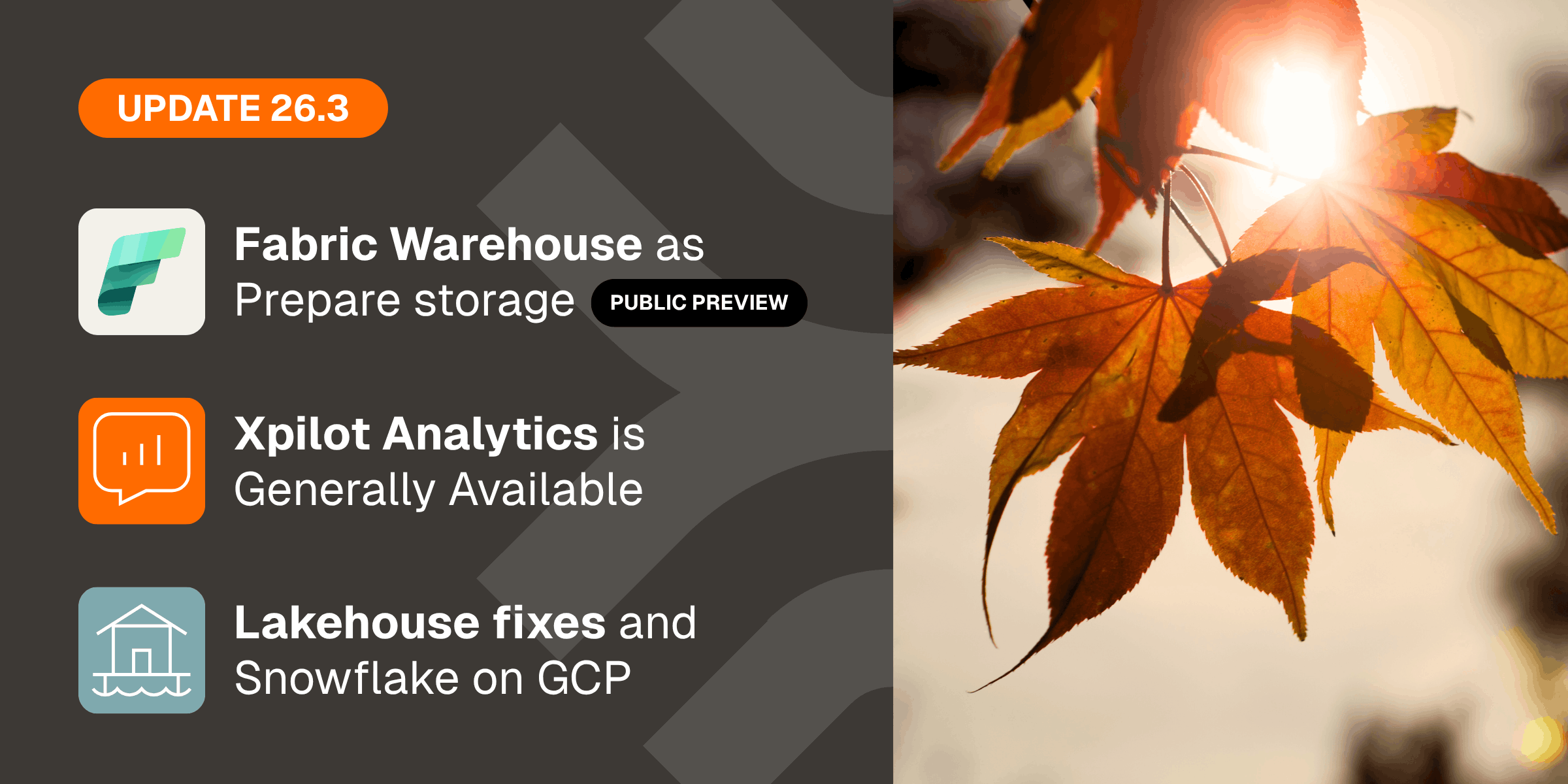
Timextender 26.3 is here, with three major updates:
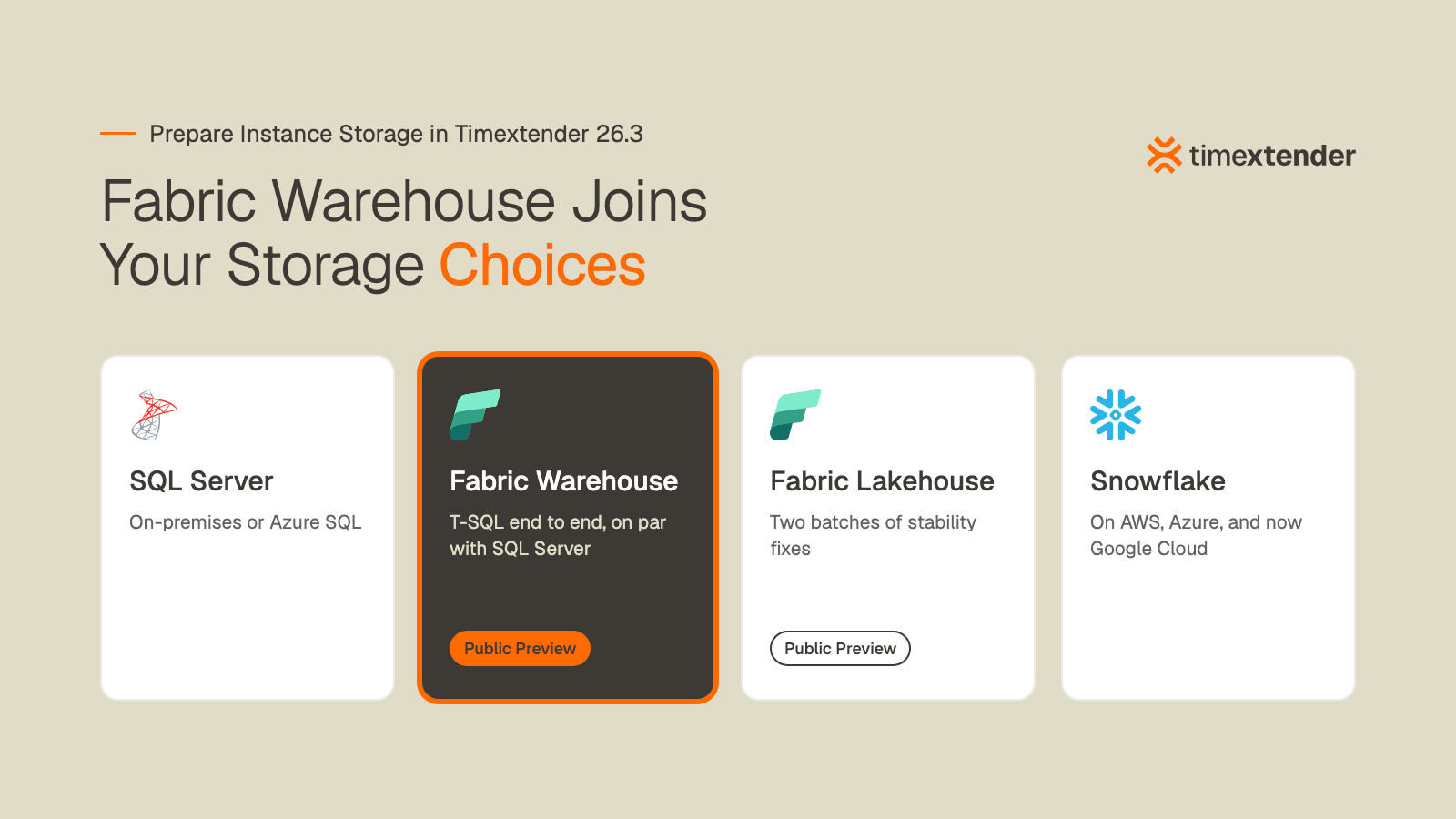
- Timextender Data Integration (TDI) 26.3 brings full support for Fabric Warehouse as Prepare instance storage (Public Preview), a long list of Fabric Lakehouse fixes (also Public Preview), and support for Snowflake hosted on Google Cloud Platform.
- Timextender Data Platform (TDP) 26.3 moves many day-to-day Orchestration tasks out of the desktop client and into the web app, and gives cloud customers seven days' notice before an automatic upgrade.
- Xpilot Analytics and the Timextender MCP Server 26.3 ship alongside TDP. Xpilot Analytics becomes generally available, and the MCP Server gets a rebuilt query engine for accurate answers across multiple tables.
Here are the details:
Fabric Warehouse is the storage we recommend for teams moving to Fabric
You can now run your Prepare layer on Microsoft Fabric Warehouse, with feature support generally on par with SQL Server. It's functionally equal with the other Prepare storage types, so you can model, deploy, and script on Warehouse the same way you do everywhere else in Timextender.
Warehouse matters because it's T-SQL from end to end. Most teams moving to Fabric come from SQL Server, and until now the practical route into Fabric storage ran through Lakehouse and Spark notebooks. That meant learning a different engine before you could use the platform you'd already chosen.
Warehouse removes that step. Your team keeps writing the SQL it knows, and existing SQL Server projects move across without manual script rewrites.
For customers moving to Fabric, Warehouse is now the Prepare storage we recommend.
"Prepare on Warehouse is fast. Blazing fast. It ran through the core functionality clean, and everything just worked, where over the last year I had to work my way around gaps live in demos. And because Warehouse speaks SQL under the hood, the upgrade story from classic SQL Server projects now really holds up in practice. No manual script rewrites." – Alex van Wijnen, Field CTO, Timextender
Fabric Warehouse support is in Public Preview, with functionality equal with the other storage types. That makes it a strong choice for new Fabric projects and for teams comparing Warehouse against Lakehouse. If you're planning a production workload, talk to our team first so we can check your specific scenario.
Fabric Lakehouse improvements
Warehouse isn't the only Fabric story in this release. Lakehouse, which also remains in Public Preview, gets two batches of prioritized fixes aimed at the stability problems customers and partners ran into over the last year.
Here are the highlights:
- Large instances: executing a Lakehouse instance with many tables no longer fails once the generated notebook passes Fabric's 20 MB size limit.
- Multi-source tables: Prepare tables with many source mappings now run as a single notebook execution per table, so execution time follows data volume instead of the number of sources.
- Business Central fields: fields with a forward slash in the name, like "Country/Region Code", no longer come through as NULL in Prepare.
- Smart synchronization: fields now match across Ingest and Prepare even when one side uses underscores and the other uses spaces, which ends manual mapping for every affected column.
- Housekeeping: manual object dependencies now work on Lakehouse, and the cleanup tool removes orphaned temp files left behind by notebook runs.
Customers are already running Timextender on Fabric Lakehouse in production. SPS Corporation moved its data warehouse from on-premises SQL Server to Fabric Lakehouse by adapting its existing Timextender solution rather than rebuilding it:
"It was a quite cost-effective migration to move from a legacy platform like SQL Server on-premises to a futureproof platform like Microsoft Fabric." – Gavin McInerney, CFO, SPS Corporation
The full release notes list every fix.
Snowflake Prepare storage now covers all three major clouds
Snowflake hosted on Google Cloud Platform is now supported as Prepare instance storage, alongside Snowflake on AWS and Azure. If your Snowflake account lives on GCP because that's where the rest of your cloud footprint is, you can point Prepare straight at it. There's nothing GCP-specific to configure or learn, because Prepare treats it like any other Snowflake account.
Xpilot Analytics is generally available
Xpilot Analytics lets anyone in your organization ask a question of your data model in plain language and get a chart or a number back. In 26.3 it reaches general availability, and most of the work in this release went into making its answers trustworthy and its reasoning easy to check.
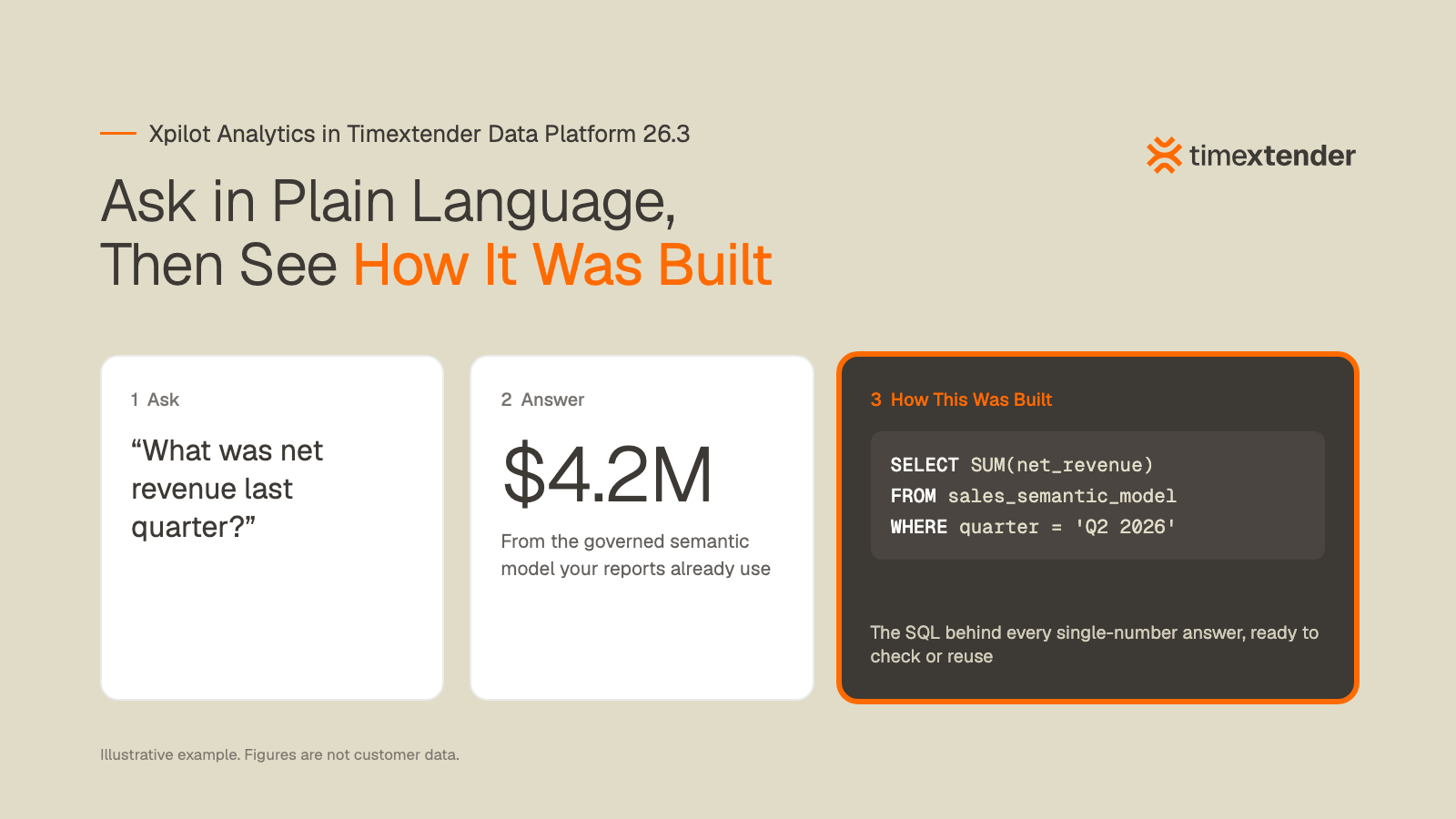
What Xpilot Analytics delivers in 26.3:
- Agent personas: admins create personas and scope them to a workspace, and users pick one at the start of a chat. A persona shapes the vocabulary the agent uses, the assumptions it's allowed to make, and how much it explains, so a finance analyst and a warehouse manager can ask the same question and each get an answer pitched at them.
- An agent that shows its work: the reasoning panel reads as a continuous thread with each step named in plain language. When an answer comes back as a single number, a "How this was built" panel shows the SQL that produced it, so you can check the logic or run the query yourself.
- Answers that hold up: when the agent can't resolve a column you asked for, it no longer quietly substitutes another one, and it no longer invents a metric the model can't support. When a question could apply to two models, it asks which one you meant.
- Follow-ups and feedback: each answer suggests follow-up questions based on what you asked and what the model can support, and carries a thumbs up and down so we can see where the agent gets it wrong.
- AI disclosure: Xpilot Analytics chat, Xpilot rule generation, and Orchestration error insights now tell people they're working with an AI system, as Article 50 of the EU AI Act requires.
Xpilot Analytics answers from the governed semantic model your data team already maintains in Timextender Data Integration. That's the same set of definitions behind your dashboards and reports, so the number it gives you is the number the report shows.
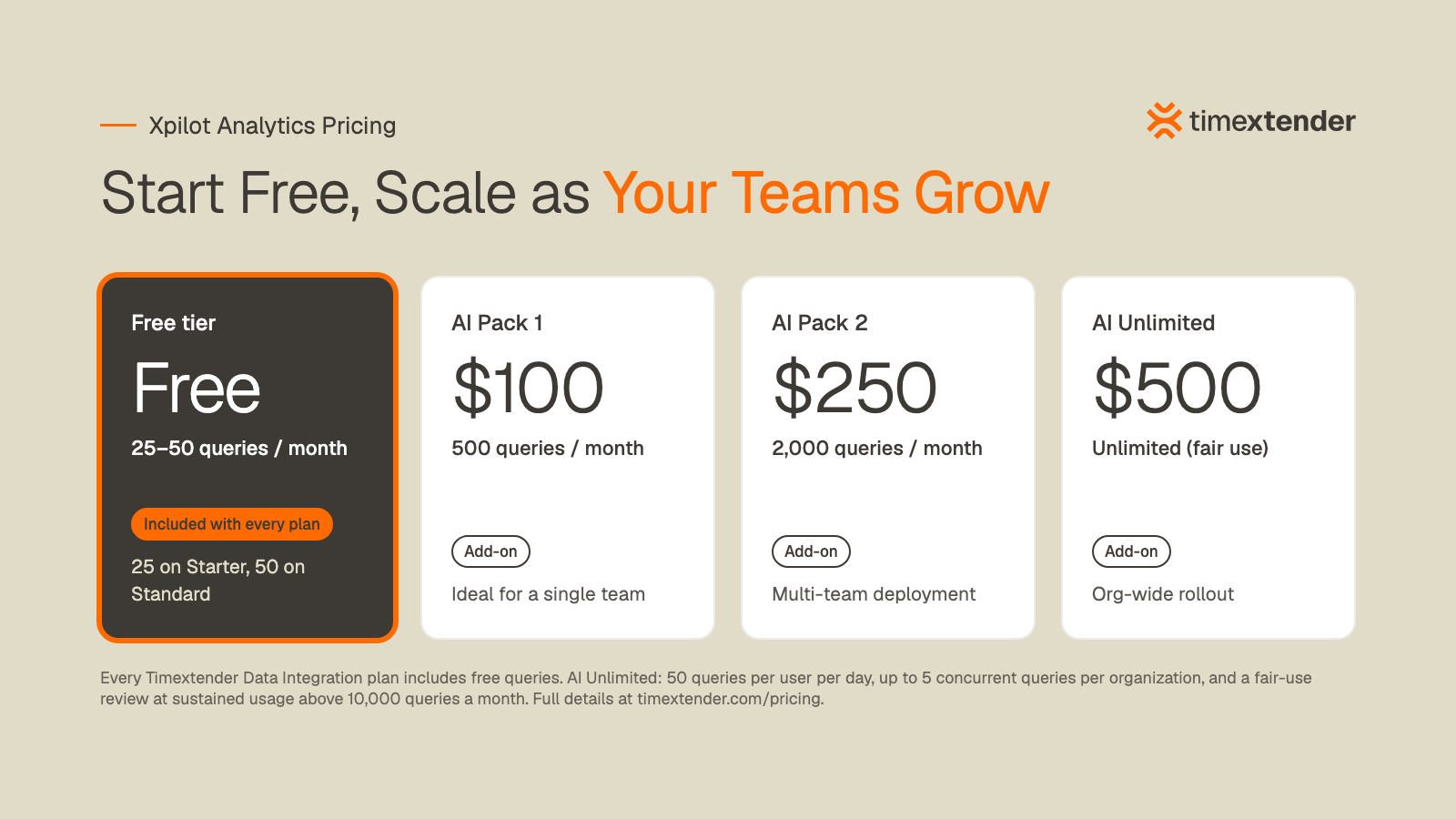
Every Timextender Data Integration plan includes free Xpilot Analytics queries, and AI Packs are available when your teams need more.
SPS Corporation is already connecting its governed semantic models to AI through the Timextender MCP Server:
"We're very excited about Timextender's new MCP Server and in particular about its ability to connect to our semantic models, where we can guide Xpilot Analytics and Claude's interpretation of our data through additional natural language descriptions and explanations." – Chris Hutchinson, Senior D365FO Analyst, SPS Corporation
Orchestration moves into the web
In Timextender Data Platform 26.3, many of the day-to-day Orchestration tasks that used to send you back to the desktop client now happen in the web app. Package configuration, schedules, and global parameters have their own screens, and you can create and edit packages there. That includes Data Transfer packages with a full column-mapping grid, and Microsoft Fabric Notebook packages that authenticate with a service principal. All seven schedule frequency types from the desktop app are supported, and start times now convert to UTC correctly across daylight-saving changes.
Existing packages upgrade automatically and keep everything they did before. Cloud customers and their partners also now get an email seven days before an automatic upgrade, along with a banner in the web app, and can take the upgrade early or postpone it.
A more accurate MCP Server
The Timextender MCP Server, which lets AI clients like Claude and ChatGPT query your data model through a governed, read-only interface, gets a rebuilt query engine in this release. Questions that span more than one table now return correct answers instead of failing or quietly inflating a total. The server also now sits behind OAuth, with Microsoft Entra ID and Auth0 supported, so access runs through the directory you already manage.
How to get 26.3
- Timextender Data Integration 26.3 is available now. The TDI 26.3 release notes cover everything that changed.
- Timextender Data Platform 26.3 is rolling out to cloud customers over the coming months. If you'd like it sooner, contact support@timextender.com, and on-premises customers can request the upgrade the same way. See the TDP 26.3 release notes.
- Xpilot Analytics is part of Timextender Data Platform and arrives with the upgrade, so there's nothing separate to install. Once you're on 26.3, download the latest Timextender MCP Server from the Downloads page in the platform. The Xpilot Analytics and MCP Server release notes cover both.
If you're planning a move to Fabric, or you want to see Xpilot Analytics on your own data, talk to our team.